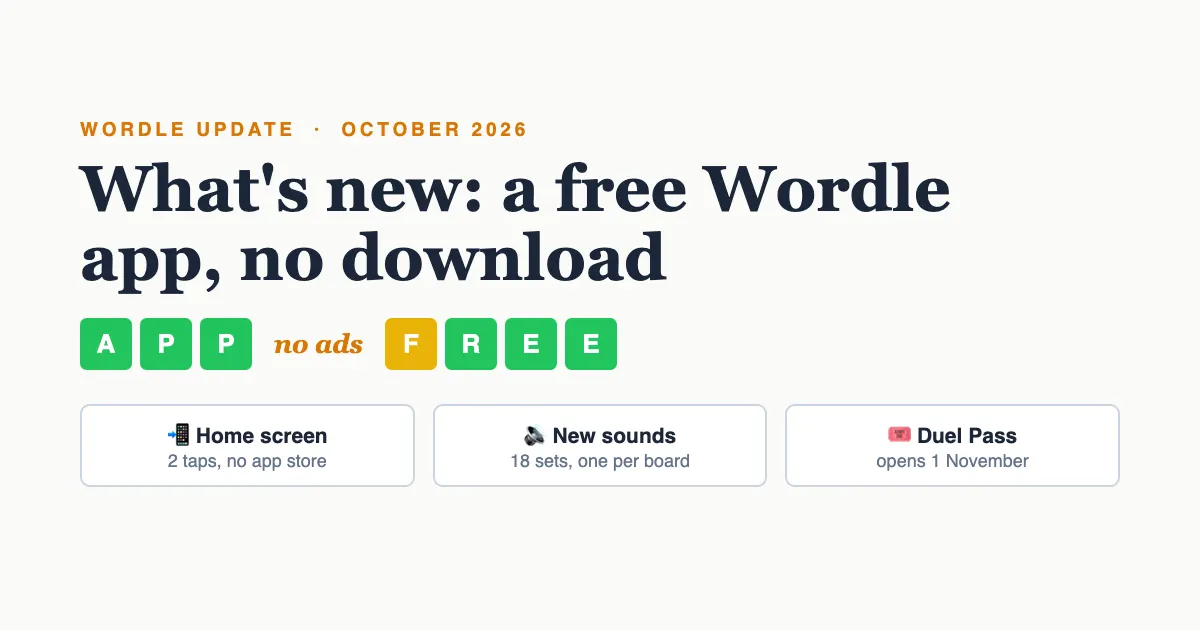
This Wordle update turns WordlyPlay into a free Wordle app you don't have to download. It now installs straight from your browser: two taps put it on your home screen, it opens full screen like any app, and it has no ads. This month also brings new sound effects for every board theme, collectible packs in the store, and the first Duel Pass, which opens on 1 November.
Below is everything that's new in the game this month, and how to install it on an iPhone, Android phone or Chromebook.
What's new in Wordle on WordlyPlay this month?
- A free Wordle app with no download: add it to your home screen in two taps.
- Sound effects: 18 sound sets, one for each board theme.
- Packs in the store: four new packs with avatars, frames and gems.
- The Duel Pass: thirty levels a month and a story, opening on 1 November.
- Smaller changes: Hard Mode and colour-blind mode on the website, division names on the leaderboard, and more.
Is there a free Wordle app with no download?
WordlyPlay works as a free Wordle app without an app store download. You add it to your home screen from the browser, and from then on it opens in its own window, without the address bar, straight into the game. There is nothing to install from an app store, no sign-up needed to play, and no ads.
Everything from the website is inside: Wordle Unlimited with no daily limit, the daily challenge, timer mode, and live duels against a friend or a random opponent. On Android, press and hold the icon for two shortcuts that jump straight into Wordle Unlimited or the Daily Challenge.
How do I add Wordle to my home screen on iPhone?
On an iPhone or iPad, open wordlyplay.com in Safari, then:
- Tap the Share button (the square with an arrow pointing up).
- Scroll down and tap Add to Home Screen.
- Tap Add. The WordlyPlay icon appears on your home screen.
If you don't see Add to Home Screen in another browser, open the page in Safari for this one step.
How do I add it on Android or a Chromebook?
On Android, open the site in Chrome and tap the menu (☰) at the top of the page and choose 📲 Add to home screen, right at the top of the list. You can also use Chrome's own menu (⋮) and choose Add to Home screen or Install app.
On a Chromebook or a computer with Chrome or Edge, look for the 📲 Install app button in the header. It opens WordlyPlay in its own window and adds it to your shelf or Start menu. If you are on a school Chromebook where installing is switched off, the game still runs in a normal browser tab, and Wordle Unblocked is the page made for school networks.
No. If you are logged in on the website, the app signs you in on its first launch and carries over your streaks, gems, trophies and everything you own. If you play as a guest, your guest progress comes with you too.
Is it a real Wordle app for two players?
Yes. Two players race to solve the same hidden word, and you see the other player's progress live as colours, never their letters. Send a link to play Wordle with a friend, or press Random Battle to be matched with someone in seconds. Wins earn trophies that move you up the leaderboard, which now shows your full league division, for example Diamond III, next to your name.
Try it now, then add it to your home screen
Unlimited words, no daily limit, no download and no ads. Play a round, then use the menu to keep it one tap away.
Play Wordle Unlimited - FreeDoes the new Wordle update add sound?
Yes, the game now has sound. Grey, yellow and green tiles each have their own sound as the row turns, a row of greens climbs up a short tune, and a win or a miss each have their own ending. There are 18 sound sets, and each board theme brings its own: Wooden Blocks knocks and plays a marimba, Paper & Ink is a typewriter with a bell for the win, Neon Arcade plays synth notes, and Deep Space answers with sonar pings.
To play silently, tap the speaker button on the game page. In the home-screen app you also hear soft key clicks while typing; on the website we left those out, since a lot of people play in classrooms and offices.
What's new in the store?
The store has a new Packs section. A pack holds pieces you can only get there, plus gems, and it is yours for good:
| Pack | What's inside | Price |
|---|---|---|
| Starter Pack | Velvet banner, Patron title, Golden Rope frame, 100 gems (once per player) | $1.99 |
| Launch Pack | Rocket Penguin avatar, Launch Ring frame, Day One title, 300 gems (until 30 November) | $4.99 |
| Golden Hive | Queen Bee avatar, Honeycomb frame, banner, honey name style, title, chat bubble, 1,000 gems | $14.99 |
| Hot Spring | Onsen Capybara avatar, Bamboo Bath frame, banner, steam name style, title, chat bubble, 1,000 gems | $14.99 |
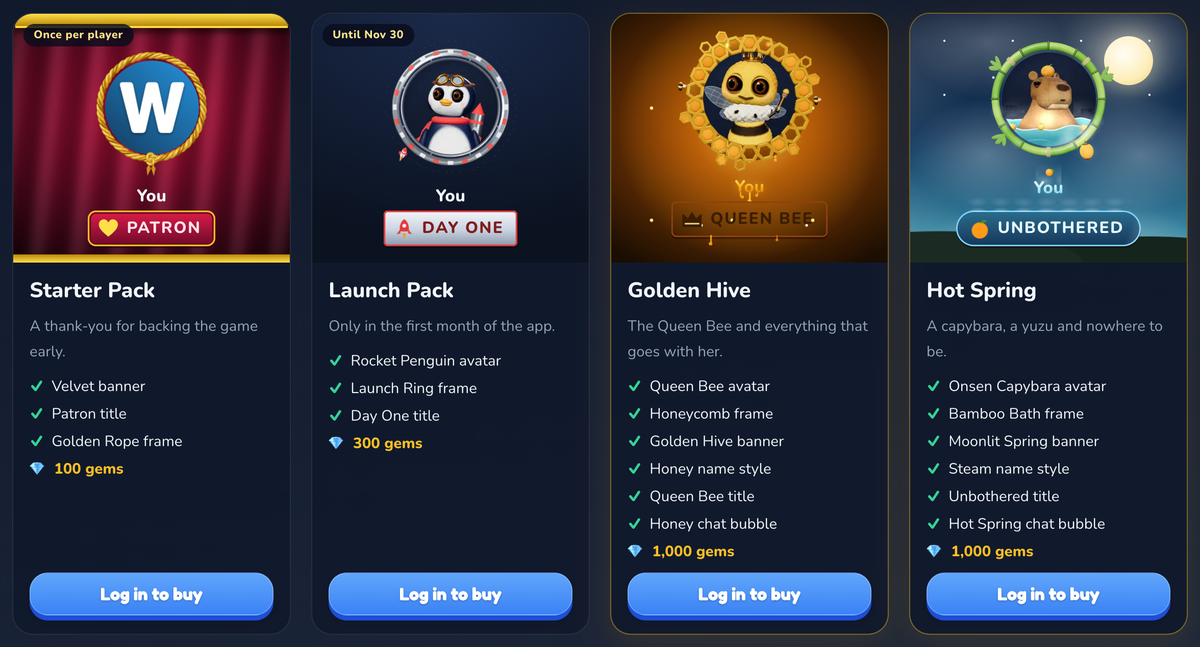
The two big sets also change how you arrive in a duel. When you wear the Golden Hive banner, your half of the duel card bursts through a sheet of honeycomb; with Hot Spring, it rises out of the steam. Gems are on a new list too: 120 gems for $1.99 up to 6,200 for $49.99. Gems are optional, and you can earn gems for free by playing.
What is the Duel Pass, and when does it start?
The Duel Pass opens on 1 November. Every game you finish earns XP, and every 100 XP is a level, thirty levels a month. Each month is a new chapter of a short story told in six pages that unlock as you level up, free for everyone. November's chapter is The Harvest Feast, where somebody keeps stealing letters from the Thanksgiving banner.
The free row gives gems, a shield and a finisher title. The Pass row holds this season's own items, including a turkey avatar called Gobbler. We'll share the full reward list on launch day. If you want it ready the moment the season opens, you can pre-order the Duel Pass now and get 100 bonus gems straight away.
No. Everyone earns XP and levels, everyone can read the story, and everyone can claim the free row. The Pass adds a second row of rewards. If you buy it halfway through the month, every level you already reached unlocks at once.
Smaller upgrades you might notice
- Hard Mode on the website: every guess must reuse the hints you have found. Turn it on from the ⚙ menu on the game page. Our Hard Mode guide explains how to beat it.
- Colour-blind mode: orange and blue tiles with shape marks, also in the ⚙ menu.
- Space bar for the next word: on a keyboard, press Space on the result card to start a new round straight away.
- Badges on the Daily leaderboard: the badge you wear now shows next to your name on the daily ranking.
Play today's word, then keep going
Solve the daily challenge, then switch to unlimited practice with no wait for tomorrow.
Play the Daily ChallengeNew to the game? Start with how to play Wordle Unlimited, or compare us with the others in our review of the best Wordle apps and websites.
Frequently asked questions
The October 2026 update makes WordlyPlay a free Wordle app you can add to your home screen with no download, adds sound effects for every board theme, adds four packs to the store, and announces the Duel Pass, which opens on 1 November.
Yes. WordlyPlay is a free Wordle-style game with unlimited rounds, a daily challenge, a timer mode and live duels against friends or random players. It runs in any browser or as a home-screen app, with no ads.
Yes. Every game mode is free with no daily limit and no ads. Packs, gems and the Duel Pass are optional extras for players who want them.
On iPhone, open wordlyplay.com in Safari, tap Share, then Add to Home Screen. On Android, open the site in Chrome and choose Add to home screen from the menu. On a Chromebook or computer, use the Install app button in the header.
Yes. WordlyPlay's home-screen app has Wordle Unlimited with no daily limit, in 4, 5 and 6-letter words, plus the daily challenge, timer mode and live duels.
Yes. Tap the speaker button on the game page. In the home-screen app, sound is a switch in Settings.
On 1 November 2026, with the Thanksgiving season, The Harvest Feast. You can pre-order it now on the Duel Pass page and get 100 bonus gems right away.