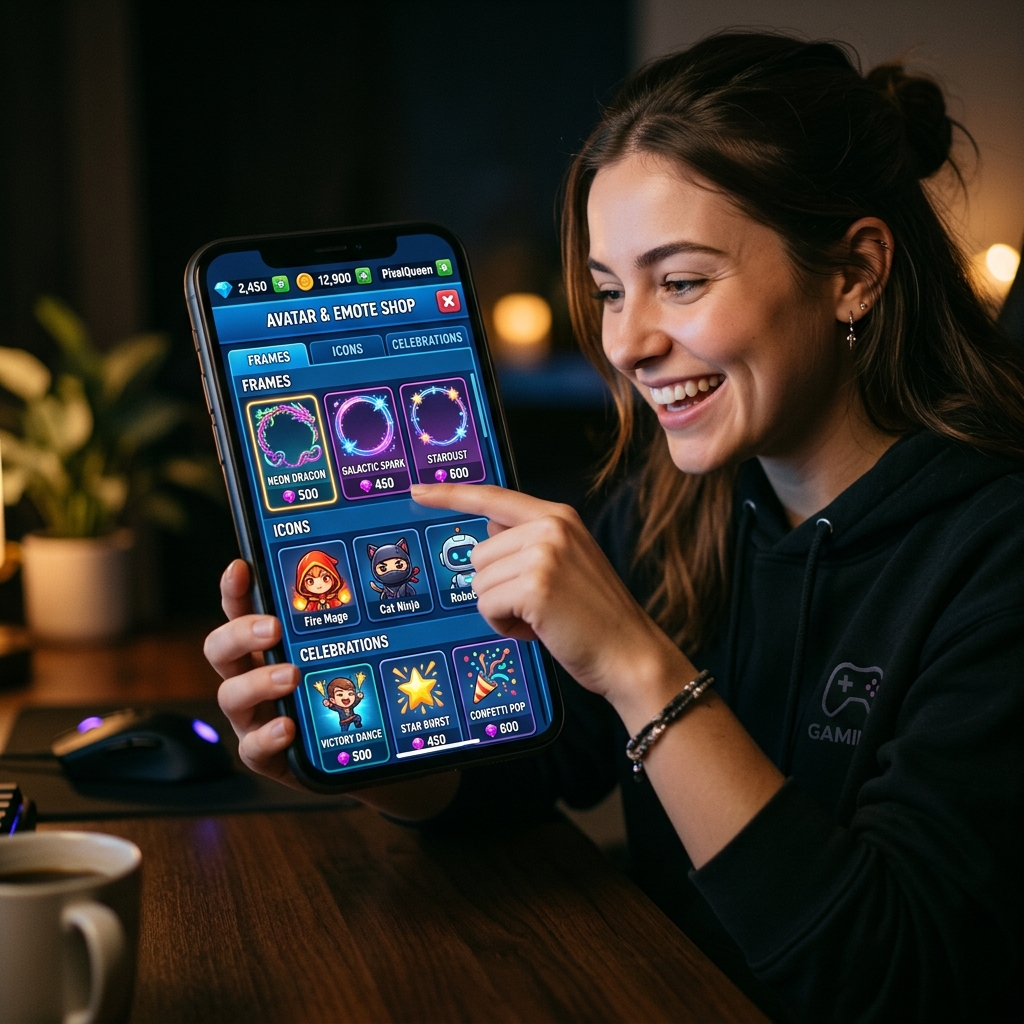
When we first launched WordlyPlay, every player looked the same — a default fox avatar on a plain background. Within a week, the top feedback request was: "Can I customise how I look?" So we built the store.
The store is entirely cosmetic. Nothing you buy changes gameplay, gives you advantages, or affects puzzle difficulty. What it does change is how you appear to other players — in battle rooms, on leaderboards, on your profile, and during victory animations.
The Three Item Categories
| Category | What It Is | Where It Shows |
|---|---|---|
| 🖼️ Avatar Frames | Decorative borders around your profile picture | Profile, battles, leaderboards, friend lists |
| 🎨 Premium Avatars | High-quality avatar images to replace the default | Everywhere your avatar appears |
| 🎉 Victory Celebrations | Custom animations that play when you win | Battle results screen when you win a match |
Avatar Frames
Frames wrap around your avatar image with decorative borders. They range from subtle metallic outlines to elaborate animated effects. When another player sees you in a battle — your name in the opponent panel, your row on the leaderboard — the frame draws attention first.
Frames are the most visible cosmetic because they appear in every context where your avatar shows up. A rare animated frame in a battle lobby is an immediate signal: "this player takes the game seriously."
Premium Avatars
Every new player gets a selection of free animal avatars — fox, owl, bear, and others. They're charming, but after a while, you want something that feels more personal. Premium avatars replace the default entirely with higher-quality artwork.
Once purchased, a premium avatar is yours permanently. You can switch between any avatars you own at any time from your profile settings. Your equipped avatar appears in battle rooms, on the leaderboard, in friend lists, and on your public profile.
Victory Celebrations
This is my favourite category because it adds emotional payoff to winning. When you win a battle with a celebration equipped, the results screen plays a custom animation — confetti bursts, firework effects, or themed visual displays overlaying the victory message.
Your opponent sees it too. It's a tasteful (we hope) way to celebrate without being obnoxious. Think of it as spiking the football — but with better sportsmanship.
Rarity and Pricing
Every store item has a rarity tier that affects its visual quality and price:
- Common: Simple, clean designs at affordable prices. Good for players who want variety without spending heavily.
- Rare: More detailed designs with subtle effects. Moderately priced for players who want to stand out.
- Epic: Premium artwork with special effects (animated frames, elaborate celebrations). The most expensive items, designed for collectors and dedicated players.
All prices are in gems. No real-money exclusives — if you earn enough gems through play, you can buy anything in the store.
Equipping Items
You can equip one item per category at a time — one frame, one avatar, one celebration. To change your equipped items, visit your profile and tap the customisation section. Changes are instant and apply immediately to all game contexts.