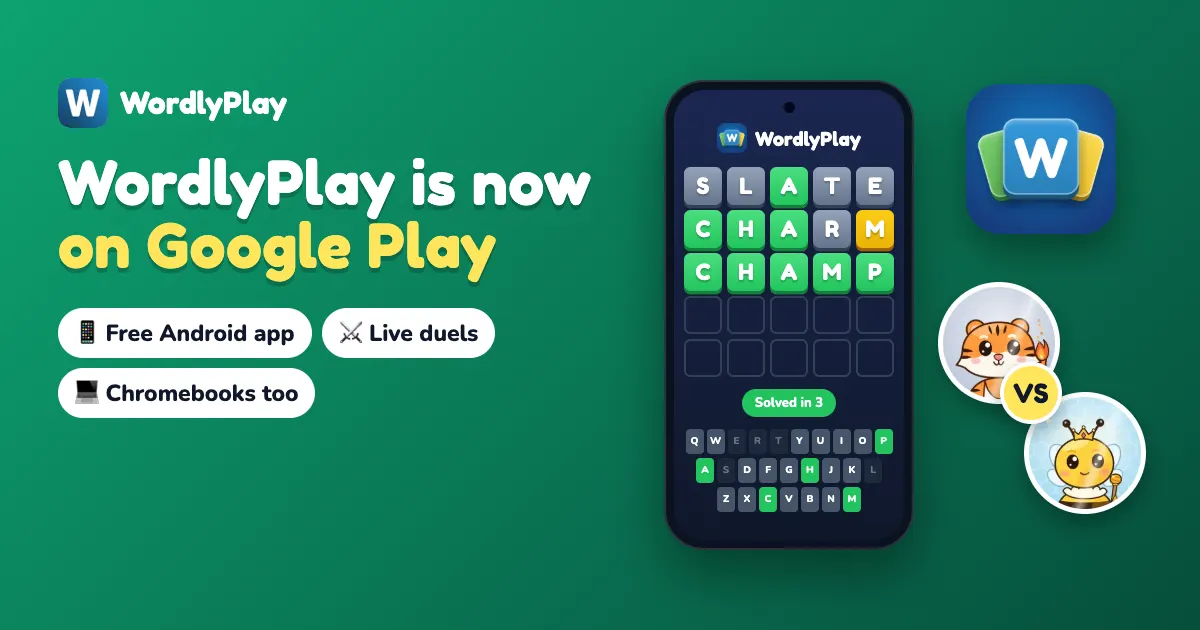
Yes, there is a WordlyPlay app, and it is free on Google Play. It is called WordlyPlay: Word Games & Duels and it runs on Android phones, Android tablets and Chromebooks that have the Play Store. On an iPhone or iPad there is no App Store app, but you can add wordlyplay.com to your Home Screen and it opens like one.
Below: how to install it on each device, what you can play, how your account and gems carry over, and what to do on a school Chromebook that blocks Google Play.
How do I get the WordlyPlay app on Android?
Open the Play Store, search for WordlyPlay and tap Install.
- Open the Google Play Store on your phone or tablet.
- Search for WordlyPlay.
- Pick WordlyPlay: Word Games & Duels. The developer name under it is E Solutions.
- Tap Install, then Open.
You need Android 7.0 or newer, and the download is small, about 10 MB. The app is rated Everyone and has no ads. You can start a game straight away without an account. The WordlyPlay for Android page has the same link.
Get WordlyPlay on Google Play
Free for Android phones, tablets and Chromebooks. Same account as the website, and no ads.
Get It on Google PlayIs the WordlyPlay app free?
Yes. Every mode is free to play: unlimited puzzles, the Daily word, live duels, Battle Royale and the weekend Grand Slam. There are no ads.
The optional purchases are gem packs, packs with exclusive looks, and the Duel Pass, a monthly subscription with a new season every month. Gems buy looks, shields and hints. If you buy the Duel Pass in the app, you can cancel it any time in Google Play.
No. You can play as a guest from the first tap. When you sign in with your email or Google account, your gems, trophies, friends and looks are kept in that account, so they show up on the website and on any other device where you sign in.
Does my website account work in the app?
Yes. Sign in with the same email or Google account you use on wordlyplay.com, and your gems, trophies, friends, looks and Duel Pass are all there. It is one account, not two.
Purchases work both ways too. Anything you buy on the website shows up in the app, and anything you buy in the app shows up on the website.
What can you play in the app?
The same games as the website. Here is what each mode is, and where to try it in a browser first.
| Mode | What it is | On the web |
|---|---|---|
| Unlimited | A new word every game. Pick 4, 5, 6 or 7 letters, with Hard Mode and Timed mode. | Wordle Unlimited |
| Daily | One word for every player each day. Keep your streak going. | Daily word |
| Live 1v1 duels | You and a rival solve the same word at the same time. First to solve it wins. | 1v1 duels |
| Friend duels | Send a link and race a friend on the same hidden word. | Friend Battle |
| Battle Royale | 16 players, one bracket. Win four duels in a row to take the trophy. | Battle Royale |
| Grand Slam | A free tournament every Saturday and Sunday at 8 PM Eastern, with up to 100 players per court. | Tournament |
| Leagues | Win trophies and climb from Bronze to Legend. A new Duel Pass season starts every month. | Your profile |
You can add friends by username or Player ID, see who is online and challenge them with one tap. The app can also remind you about the Daily word at a time you pick, tell you when a friend sends a duel invite, and warn you before a Grand Slam you saved a seat for. You can switch each of these off in Settings.
Yes. Send them a duel link from the app. They can open it in any browser on a phone, tablet or computer and join the same match, with nothing to install. The same goes for a friend battle link sent from the website.
How do I install WordlyPlay on a Chromebook?
If your Chromebook has the Play Store, install it the same way as on a phone: open the Play Store, search for WordlyPlay and click Install. It runs in a window you can resize, and you can type your guesses on the keyboard.
Many school Chromebooks block Google Play. On those you can still install WordlyPlay from Chrome:
- Open wordlyplay.com in Chrome.
- Click the ⋮ menu at the top right of Chrome.
- Choose Cast, save and share, then Install page as app. Some Chromebooks call it Create shortcut: tick Open as window.
- Click Install.
WordlyPlay then opens from the launcher like any other app. If your school blocks the site itself, our guide to playing Wordle at school on a Chromebook explains why that happens and what you can do about it.
Is there a WordlyPlay app for iPhone?
No, WordlyPlay is not in the App Store. You can add the website to your Home Screen instead. It then opens with its own icon and no browser bars, like an app, and uses the same account as the Android app.
- Open wordlyplay.com in Safari.
- Tap Share. In newer versions of Safari, tap ••• next to the address bar first.
- Scroll down and tap Add to Home Screen.
- Keep Open as Web App on, then tap Add.
It works the same way on an iPad. On a Mac with Safari, click File in the menu bar, then Add to Dock. That needs macOS Sonoma or later.
Should I use the app or the website?
Whichever suits your device. The games and the account are the same, and app and website players meet in the same duels and tournaments.
- Android phone or tablet: the app. One tap to open, plus reminders and duel invites.
- Chromebook with Google Play: the app, or the website in a browser tab.
- School Chromebook, iPhone, iPad or computer: the website, installed from Chrome or added to your Home Screen.
Who is the WordlyPlay app for?
The app is for players aged 13 and over. Teachers with younger students can run a Classroom game on the website instead: students join with a code and a nickname, with no student accounts. See Wordle for the classroom.
Not on Android? Play in your browser
Every mode in the app is also on the website, free, on any phone, tablet or computer. Nothing to download.
Play Wordle Unlimited - FreeWordlyPlay is a Wordle-style game and is not affiliated with The New York Times.
Common questions
Yes. It is free to download from Google Play, every mode is free to play, and there are no ads. Optional purchases are gem packs, packs with exclusive looks and the monthly Duel Pass.
No. On an iPhone or iPad, open wordlyplay.com in Safari, tap Share, then Add to Home Screen. It opens like an app and uses the same account as the Android app.
Yes. Sign in with the same email or Google account. Your gems, trophies, friends, looks and Duel Pass carry over, and anything you buy on the website or in the app works in both.
If the Chromebook has Google Play, install the app from the Play Store. If Google Play is blocked, open wordlyplay.com in Chrome, click the ⋮ menu, choose Cast, save and share, then Install page as app.
Android 7.0 or newer. The download is about 10 MB.